 ️
️ Retrieving Data (retrieve)
The retrieve clause determines what comes back from the database. You can return complete entity objects with all properties populated, select individual scalar properties, or mix both in a single query.
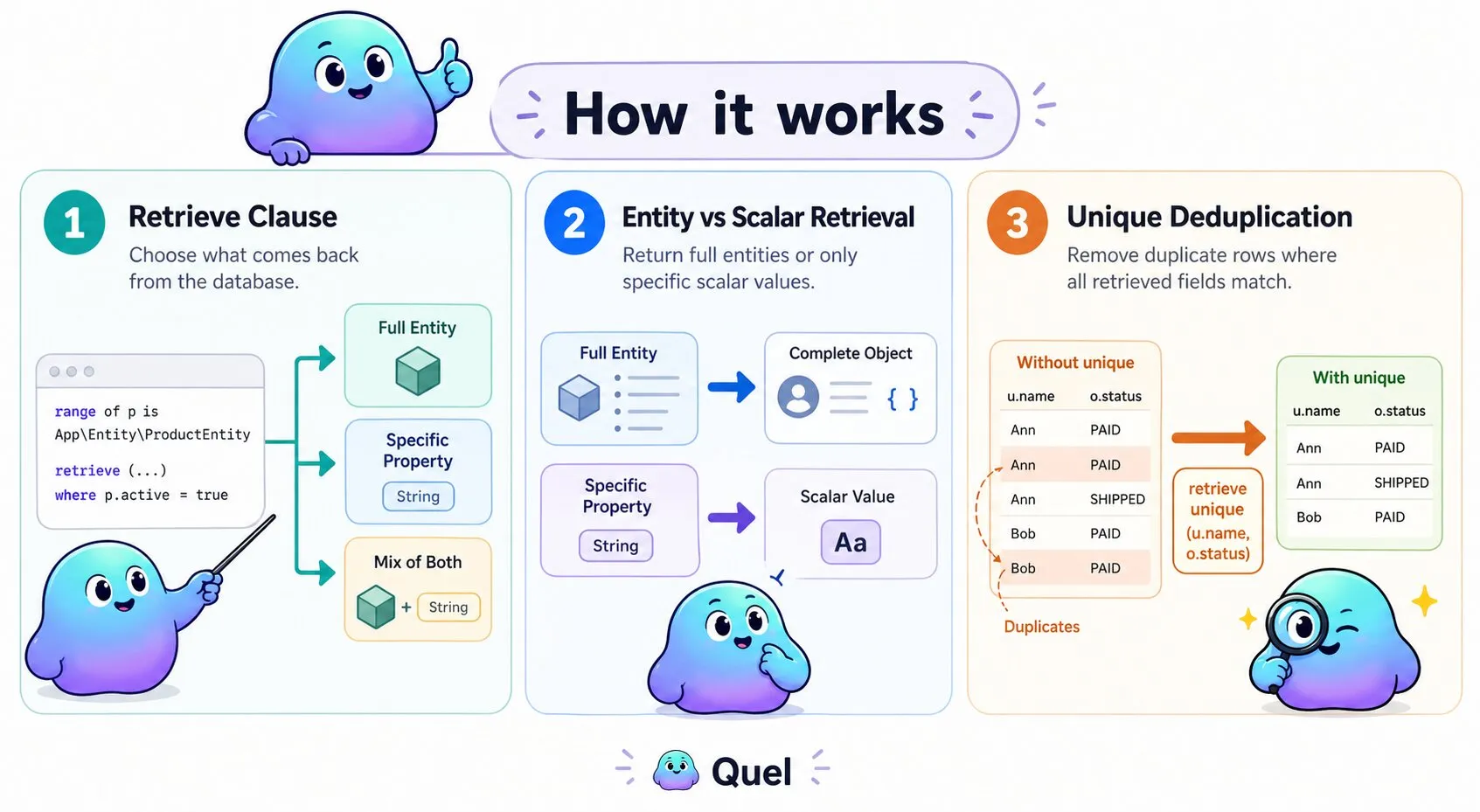
Retrieve Full Entities
Returns complete entity objects with all properties populated. Use this when you need the full entity:
$results = $entityManager->executeQuery("
    range of p is App\\Entity\\ProductEntity
    retrieve (p) where p.active = true
");

foreach($results as $row) {
    $product = $row['p'];
    echo $product->getName();
    echo $product->getPrice();
}
Retrieve Specific Properties
Returns only the requested property values as scalars. Use this to minimize memory usage and avoid loading data you don't need:
$results = $entityManager->executeQuery("
    range of p is App\\Entity\\ProductEntity
    retrieve (p.name) where p.active = true
");

foreach($results as $row) {
    $name = $row['p.name']; // String value, not an entity object
    echo $name;
}
Mix Entities and Properties
Combines full entity objects with scalar property values. Useful when you need a complete entity from one range but only specific fields from a related entity:
$results = $entityManager->executeQuery("
    range of p is App\\Entity\\ProductEntity
    range of c is App\\Entity\\CategoryEntity via p.category
    retrieve (p, c.name) where p.price < 100
");

foreach($results as $row) {
    $product = $row['p'];           // Full ProductEntity object
    $categoryName = $row['c.name']; // String
}
Deduplication with unique
Add unique immediately after retrieve to remove duplicate rows from the result set. A row is considered duplicate only when every retrieved field matches — most useful when retrieving specific properties across a join that would otherwise repeat identical combinations:
$results = $entityManager->executeQuery("
    range of u is App\\Entity\\UserEntity
    range of o is App\\Entity\\OrderEntity via u.orders
    retrieve unique (u.name, o.status)
");